 01
01Publisher Plus
For independent developers and GitHub-based teams.
Request pricing/ month
- GitHub publication
- Complete project profiles
- Stored tokens stay hidden
- Manual project transfer
From GitHub to GitLab and your servers: organize projects, review changes and publish from a workspace that fits the way you work.
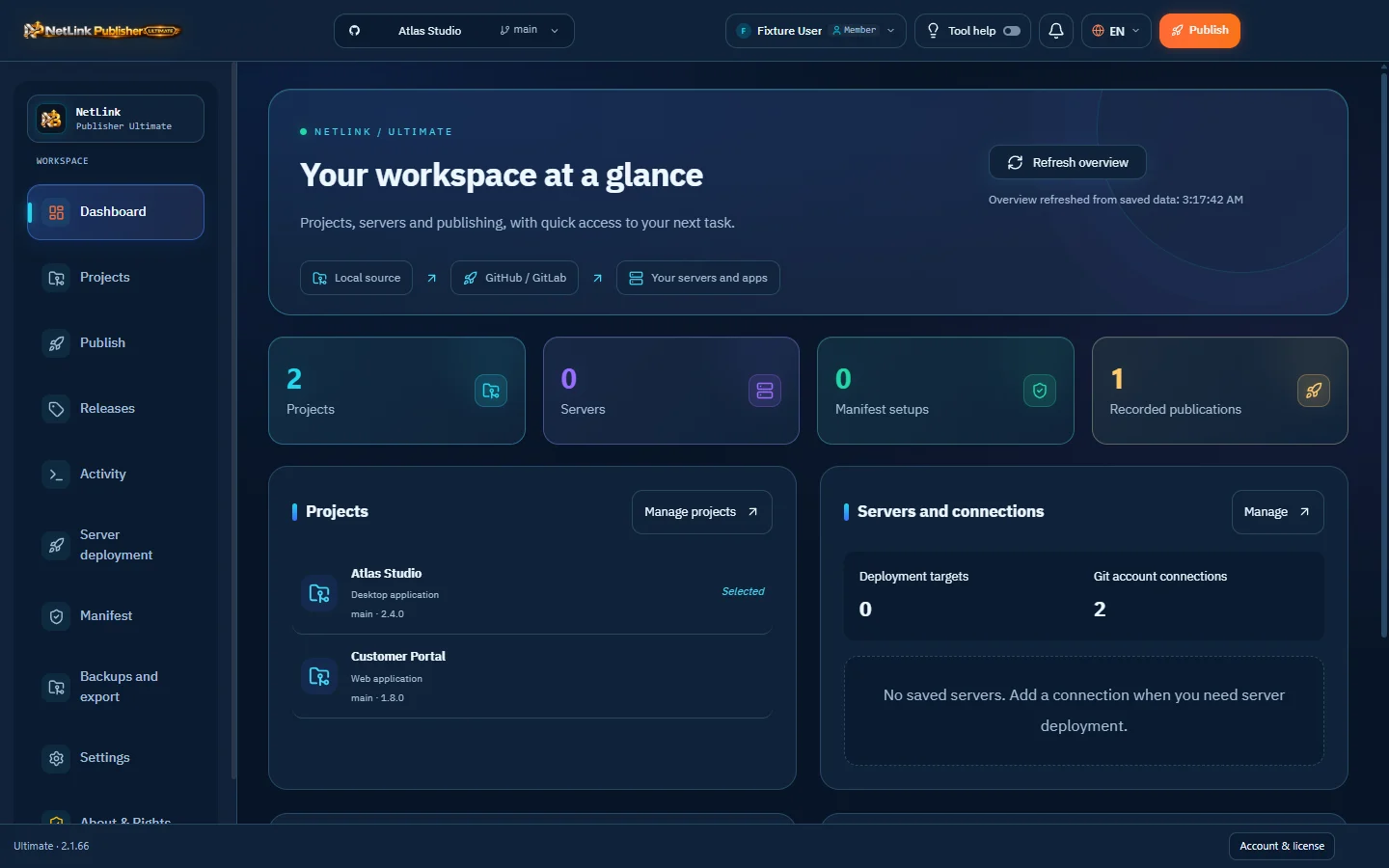
Plus for focused publishing, Pro for repositories and manifests, Ultimate for release operations and servers.
Contact us to confirm pricing and the right subscription for you.
01For independent developers and GitHub-based teams.
 02
02For developers and teams managing repositories and update manifests.
 03
03For teams managing multiple projects, destinations and servers.
Prices are in USD. Contact the company to confirm licensing, trial availability and payment terms before ordering.
Screenshots from the current build, using illustrative projects rather than customer accounts.
The core capabilities in one place, so you can choose what you need today.
| Capability | Plus | Pro | Ultimate |
|---|---|---|---|
| GitHub publication | |||
| GitLab publication | — | ||
| Publish to both providers at once | — | — | |
| Saved projects and file review | |||
| Password-encrypted exports | |||
| Scheduled backups | — | ||
| Manifest publication | — | ||
| Create a repository inside the app | — | — | |
| Linux and Proxmox deployment targets | — | — | |
| Learning center and contextual guidance | — | — | |
| Arabic and English interface | |||
| Notification sound controls |
Server deployment and application-updater support depend on target setup and software compatibility. Tool access depends on the license.
Start with the right source, then review before publishing.
Choose source, provider, repository and target branch.
Check the version, changelog, included files and exclusions.
Confirm the plan and follow progress in the activity log.
Read the outcome for each destination; a review is not a publication.
Use Contact sales to open the official AL-JABAREEN contact page and confirm the edition, price, license and delivery.
This website explains the editions. Requests go through the company; this page does not collect card details or offer unapproved download links.
Application backups save project profiles and settings according to edition; they are not copies of source folders. Back up source code and repositories separately.
No. An application updater is optional and requires compatible software and correct administration settings. Git or file-transfer workflows can be configured to suit the project.
Activation, permissions and trial availability depend on the account license and the product policy in Sentinel. Contact us to confirm current terms.
The AL-JABAREEN team can help select an edition and confirm your project requirements.