
Keyboard shortcuts
Capture a key chord, assign an action, target the focused external window and detect conflicts.
SMART ACTIONS / AUTOMATION ENGINE
From replacing repetitive phrases to running complete AutoHotkey v2 scripts: practical shortcuts for daily tasks and real depth for power users.
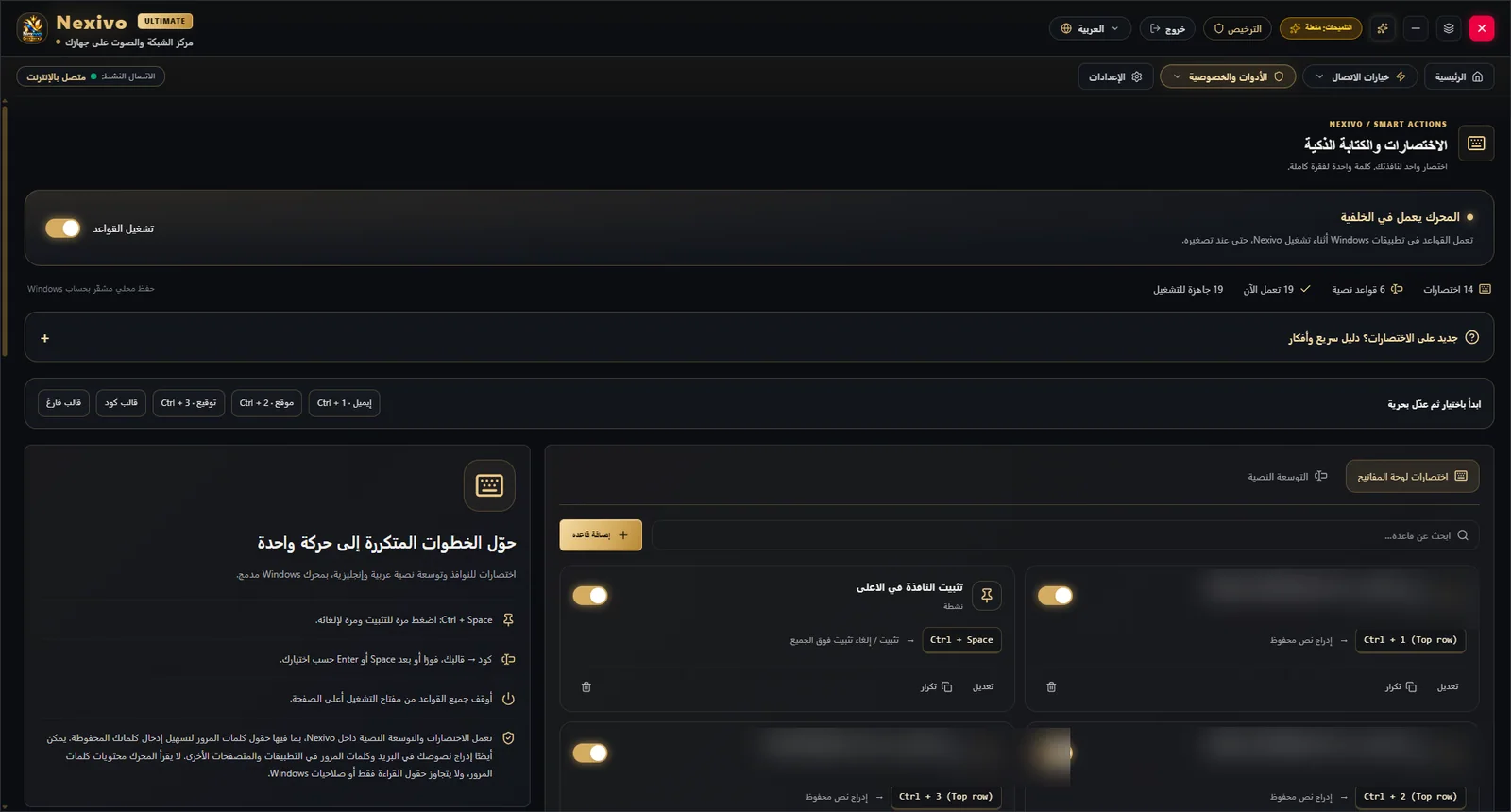
Pin a window, insert saved text, position windows or trigger repetitive actions without returning to menus.
Different levels of control for different workflows, all from one workspace.
Capture a key chord, assign an action, target the focused external window and detect conflicts.
Arabic and English phrases, multiline templates, triggers, and immediate or Space/Enter expansion.
One-shot code or persistent scripts with multiple hotkeys and shared state; start and stop each managed script.
A native Windows rule engine with an included AutoHotkey v2 runtime — no separate AHK installation required.
Rules are stored with local protection. Execution stops when rights are lost; it does not log keystrokes or read the clipboard for surveillance.
Expand a short trigger into a saved reply or a formatted multi-line passage.
Pin, center, maximize or restore windows with one key chord.
Run a full AHK v2 script with multiple hotkeys and stop it directly from the rules panel.
Protect the automation area with a separate password. Scripts run within user permissions and Windows policy; no automatic administrator privileges are granted.
NEXIVO ULTIMATE
Explore the product, review your options, and get in touch for the next step.